
Wan 3.0 AI Video Generator – Create 4K Videos with Audio in One Pass
Wan 3.0 AI Video Generator turns text, images, and references into 4K video with built-in audio. You get a complete clip — visuals, dialogue, sound effects, and music — in one generation.
Wan 3.0 is Alibaba's next-generation model — learn what's new in the full feature overview before you generate.
Model*
2–30 sec · 30 fps
Reference inputs* Add at least one image, video, audio, or document. Use Image 1, Video 1, or Audio 1 in your prompt.
Reference images (Optional) · Up to 10 · 20 MB each
Reference videos (Optional) · Up to 5 · 15 sec total · 100 MB each
Reference audio (Optional) · Up to 5 · 15 sec total · 15 MB each
We securely upload the document before creating your video.
Output settings
Per-second pricing varies by modelProduction Capabilities
9 Production Features That Replace a Full Video Stack
Every feature below maps to real production output, from native 4K rendering to audio and cross-session consistency.
Render True 4K - Not an Upscaled 1080P
VIDEO GENERATION
Wan 3.0 renders at native 4K from frame one without an upscale chain, preserving edge detail and texture fidelity.
Generate Up to 30 Seconds in One Run
VIDEO GENERATION
Produce 30-second clips with scene and character continuity in a single pass, reducing stitching overhead.
Extend Any Clip with Video Continuation
VIDEO GENERATION
Continue generated clips with prompt-guided extension while preserving character state, lighting, and environment continuity.
Direct Multi-Shot Sequences with AI Director
DIRECTION & CONTROL
Define up to 6 shots per generation with shot type, camera motion, and duration, then let Wan 3.0 keep sequence consistency.
Attach Up to 12 Reference Assets
DIRECTION & CONTROL
Use @reference syntax to bind image, video, and audio assets to specific scene elements and maintain production intent.
Get Dialogue, Effects, and Music in One File
AUDIO
Wan 3.0 generates multi-track stereo audio alongside video in one pass, removing separate audio session workflows.
Phoneme-Level Lip Sync in 12 Languages
AUDIO
Maintain close-up speaking accuracy across 12 languages with phoneme-level lip sync and dialectal coverage.
Lock Character Identity Across Sessions
CONSISTENCY
Identity Lock preserves face, silhouette, and wardrobe attributes for repeatable characters across separate sessions.
Edit One Region Without Full Regeneration
CONSISTENCY
Use mask-based editing to update only targeted areas while keeping surrounding frames untouched.
Not sure which feature fits your workflow? The Wan 3.0 Review walks through each one with real test outputs and production notes.
Quick Start
How to Use the Wan 3.0 AI Video Generator - Step by Step
From prompt to broadcast-ready 4K video in three steps. No software to install. No studio required.
Step 01 - Write Your Prompt and Add References
Describe your scene: camera angle, character action, environment, and audio tone. Attach images, video clips, and audio with @reference syntax. You can combine up to 12 assets and use AI Director format for multi-shot prompts.
Step 02 - Set Resolution, Duration, and Shot Structure
Select T2V, I2V, R2V, or VideoEdit mode. Set resolution to 1080P or 4K, duration up to 30 seconds, and aspect ratio (16:9, 9:16, 1:1, 4:3). For multi-shot scenes, enable AI Director to define each shot.
Step 03 - Generate, Refine, and Export
Generate your clip and get video plus audio in one file. Use mask-based editing to change specific regions without full regeneration. Export a watermark-free MP4 with commercial license included.
Want the complete feature breakdown before you start? Visit the Wan 3.0 homepage for the full capability reference.
Real Wan 3.0 AI Video Outputs with Original Prompts
Every clip below is generated from prompt input with no post-editing and no upscaling.

Product Commercial
4K · 15s · Native Audio
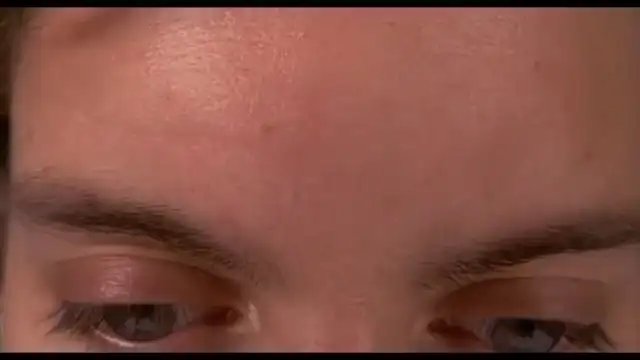
Short Film - AI Director
6-Shot · 30s · AI Director

Product Demo
1080P · 15s · No Audio
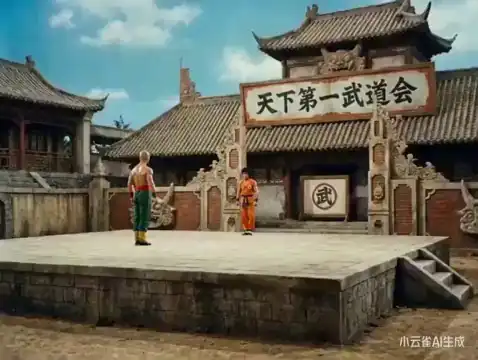
Multilingual Brand Ad
12s · Phoneme Lip Sync

Vertical Social Clip
9:16 · 15s · Ambient Audio
Workflows
Who Uses the Wan 3.0 AI Video Generator
and How
Six industries, one production model for native 4K and synchronized audio delivery.
Advertising & Creative Agencies
Build 30-second multi-shot ad outputs with AI Director, Identity Lock, and native audio in one generation flow.
E-Commerce & Product Marketing
Upload a product image and generate a 4K product reveal with controlled camera motion and synchronized ambient sound.
Film Production & Independent Creators
Use AI Director and Video Continuation to chain scenes while preserving character and environment continuity.
Social Media & Creator Economy
Generate 9:16 vertical clips with native ambient audio for Shorts, Reels, and TikTok publishing.
Brand & Corporate Communications
Create multilingual spokesperson videos with phoneme-level lip sync and consistent identity across markets.
Education & E-Learning
Convert scripts into lesson clips with a consistent visual instructor, multilingual text rendering, and continuation support.
See how each industry use case maps to specific features on the Wan 3.0 features page.
Wan 3.0 AI Pricing — Simple Plans, No Surprises
Credits are used by the Wan 3.0 video generator according to the model, duration, resolution, and workflow currently selected. Review the displayed credit cost and applicable terms before generating.
Starter
$9.9
100 credits · $0.099/credit
A lightweight one-time credit pack for trying the video generator.
- Credit-based video generation
- Credit cost shown before generation
- One-time credit pack
Pro
$29.9
330 credits · $0.091/credit
A one-time credit pack with a lower per-credit price than Starter.
- Credit-based video generation
- Credit cost shown before generation
- One-time credit pack
Scale
$49.9
600 credits · $0.083/credit
A larger one-time credit pack with a lower per-credit price.
- Credit-based video generation
- Credit cost shown before generation
- One-time credit pack
Max
$99.9
1,250 credits · $0.080/credit
The largest one-time credit pack with the lowest listed per-credit price.
- Credit-based video generation
- Credit cost shown before generation
- One-time credit pack
One-time credit packs. Any applicable taxes and credit-validity terms are shown at checkout or in the current service terms.
Not sure if Wan 3.0 is right for your workflow? Read the Wan 3.0 review before purchasing, or start with the free tier first.
FAQ
Wan 3.0 AI Video Generator - Frequently Asked Questions
Generate Your First 4K Video
with Wan 3.0
No setup required. No timeline editor. No separate audio session. Write your prompt, attach your references, and get back a production-ready clip with audio in one pass.